
Air conditioning and refrigeration service software
JobHandler is air conditioning service software for UK AC, ventilation and refrigeration businesses. Breakdown emails become job requests for the office to book. Planned maintenance visits come from templates, and F-gas records stay on the job.
JobHandler isn’t open yet. Join the waiting list and we’ll email you when you can start your 14-day trial.
A day in air conditioning and refrigeration
How a breakdown call and a day of planned maintenance run in air conditioning service software.
-
107:52
A breakdown email becomes a job
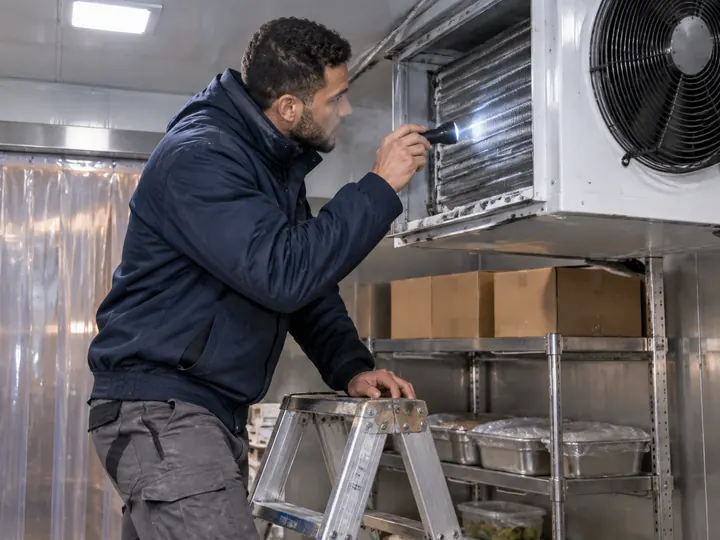
A facilities manager emails about a cold room. The job inbox in the air conditioning service software turns the email into a job request, and the office checks it and books it.
-
208:00
Planned maintenance from templates
Service visits come from job templates, each with its checklist, so every engineer works through the same checks on every site.
-
310:40
Leak checks recorded on site
Aisha records the refrigerant, the charge and the leak check on the equipment record in the F-gas software, with photos and two signatures.
-
4Month end
One statement for the facilities team
From the air conditioning service software, a facilities customer with many sites gets one statement link with every open invoice and a Pay now button.
F-gas records and AC certificates
Attach the record each visit needs in the air conditioning service software. Your engineers fill it in on the phone, with readings, photos and signatures.
For AC, ventilation and refrigeration
- F-gas leak check records
- Refrigerant records: gas added and recovered
- AC commissioning certificates
- Planned maintenance records
- Ventilation and MVHR commissioning records
- Kitchen extract cleaning certificates
- Refrigerant cylinder logs
- Cold room temperature logs
Forms every business gets
- Job sheets with before and after photos and two signatures
- Risk assessments and RAMS
- COSHH assessments
- Permits to work
- Snag lists
- Waste transfer notes
- Completion sign-off
- Variation orders
F-gas work and its records are your business’s responsibility. JobHandler gives your F-gas certified engineers the forms, and they sign for the work they do.
For the official guidance, see F-gas guidance for users and traders (opens in a new tab) on GOV.UK.
What AC and refrigeration businesses get
Air conditioning service software for businesses that look after air conditioning and refrigeration in shops, offices and kitchens.
-
Store
Who has each recovery cylinder
In our refrigeration service software, recovery cylinders, vacuum pumps and leak detectors are equipment in your store, given to an engineer and handed back. Parts and consumables are counted in each van and go on the invoice when used.
- Equipment given and returned
- Stock in each van
- Handovers when someone is off or leaves
-
Branches
One board for every branch
Set up a branch for each office in the air conditioning job management software and filter the colour board by branch, team or trade, so each office books its own engineers. Only engineers with an in-date F-gas card and the right skills are offered, and nobody is booked twice. Supervisors follow their own team’s jobs as the taps come in.
- Branches and teams
- F-gas card reminders at 60, 30 and 7 days
- Supervisors see their own team’s jobs
-
Commissioning
Commissioning records with readings
On a new install, your engineer records pressures, temperatures and airflow in the air conditioning service software, then gets the customer’s signature. The record goes out in a branded email with your logo and company name.
- Readings and photos on the job
- Two signatures
- Customer Portal with each site’s history
Everything an AC and refrigeration business needs
Air conditioning service software at one price per person, with no job limits.
Office and scheduling
- Colour board by day or week
- Filter by branch, team or trade
- Job inbox for emailed breakdown calls
- Job templates and checklists for planned maintenance
- “How long will it take?” on every job
On site
- App for iPhone and Android
- Certificates and forms the office attaches
- Photos marked up and stamped with date and time
- Semi-finished jobs followed up with reminders until done
Store and vans
- Equipment given and returned
- Parts counted onto the invoice
- Stock in each van
- Transfers between engineers
Quotes and money
- Quotes with options
- Invoice from the finished job with parts used
- One statement link with Pay now
- Card and bank transfer payments
Add-ons
Pay for these only if you use them.
Text pack Add-on
Booking confirmations and reminders by text, sent in your business’s name.
Live tracking Add-on
Your customer gets a “Track my engineer” link that shows where the engineer is.
Questions about air conditioning service software
Short answers for AC, ventilation and refrigeration businesses choosing air conditioning service software.
Can we keep F-gas records on the job?
Yes. Your engineer fills in the leak check and the equipment record on the phone, with the refrigerant, the amount, photos and signatures. It stays with the site’s history.
How do breakdown emails become jobs?
Emails sent to your job inbox become job requests. The office checks each one, then books it on the board.
Can we see who has each recovery cylinder?
Yes. Recovery cylinders, vacuum pumps and leak detectors are equipment in your store. Each one shows who has it until it’s handed back.
How much does JobHandler cost?
One price per person, with no job limits. Live tracking and texts are add-ons you only pay for if you use them. Prices are inc VAT. They go on this website before JobHandler opens, so join the waiting list and we’ll email you when they’re up.
Is there a contract?
No contract. Pay monthly or yearly.
Do I need a card for the 14-day trial?
No. Try JobHandler on your own jobs for the 14-day trial without giving a card.
Does the app work with no signal?
Yes. With this air conditioning service software, your engineers see their upcoming jobs and fill in records with no signal, in a plant room or on a roof. Everything they record goes to the office when the signal comes back, with the real time of every tap.
What happens to our data if we leave?
The account holder can cancel in Settings at any time. Before you go, they can ask for a copy of your data, and we email them a download link that works for 7 days. Your business is responsible for keeping any certificates and invoices the law asks you to keep, so take your copy first.